Billing
The Billing pages show what your organisation has spent and owes — your balance, monthly invoices, and the transaction ledger. For tenants these views are read-only: adding credit is handled by your platform administrator.
Open Billing in the sidebar (organisation admins).
Overview
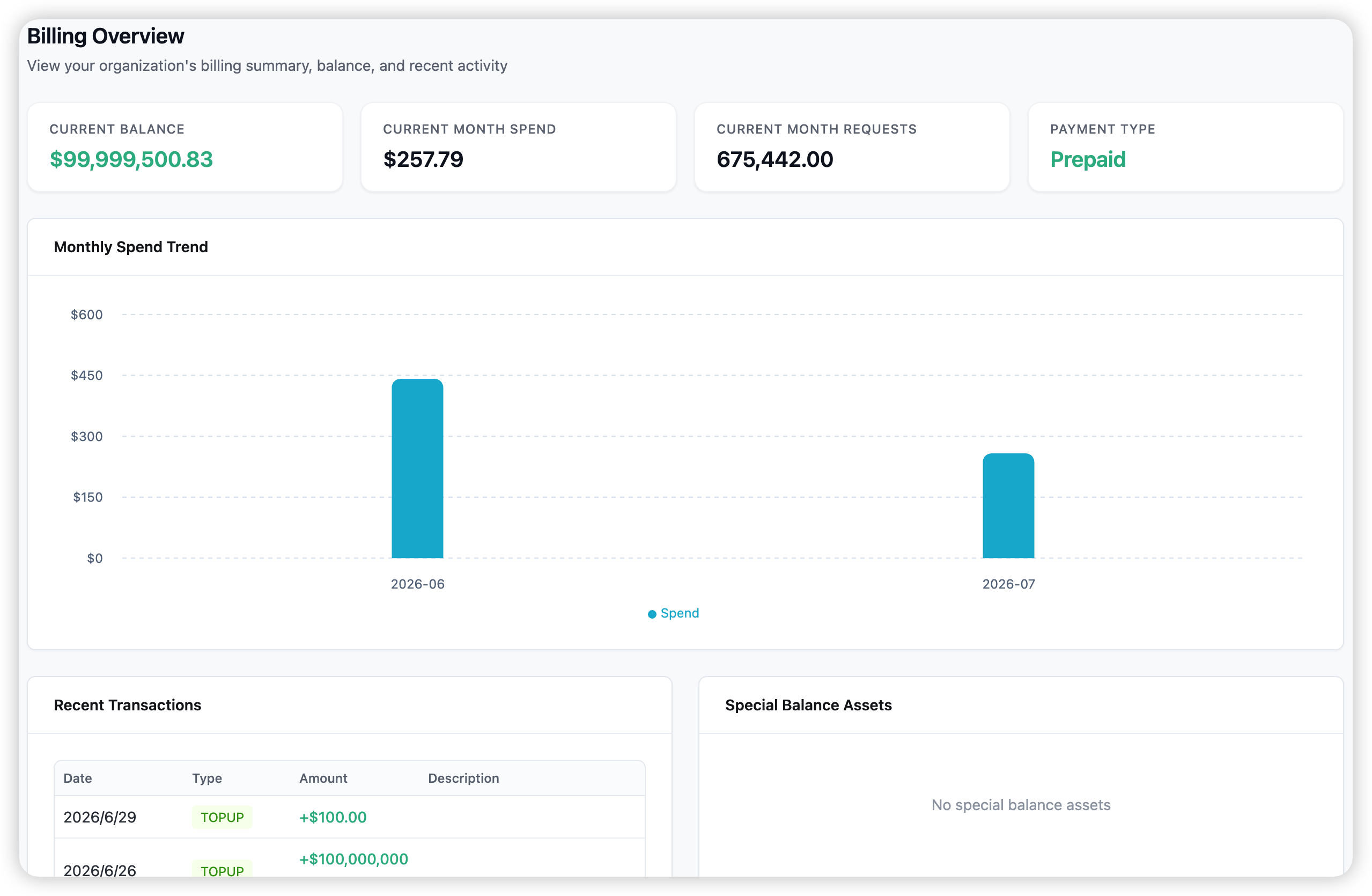
The Overview page is a summary: your Current Balance (or credit used), this month’s spend and request count, your Payment Type (prepaid or postpaid), a monthly spend trend, and your most recent transactions.
Invoices
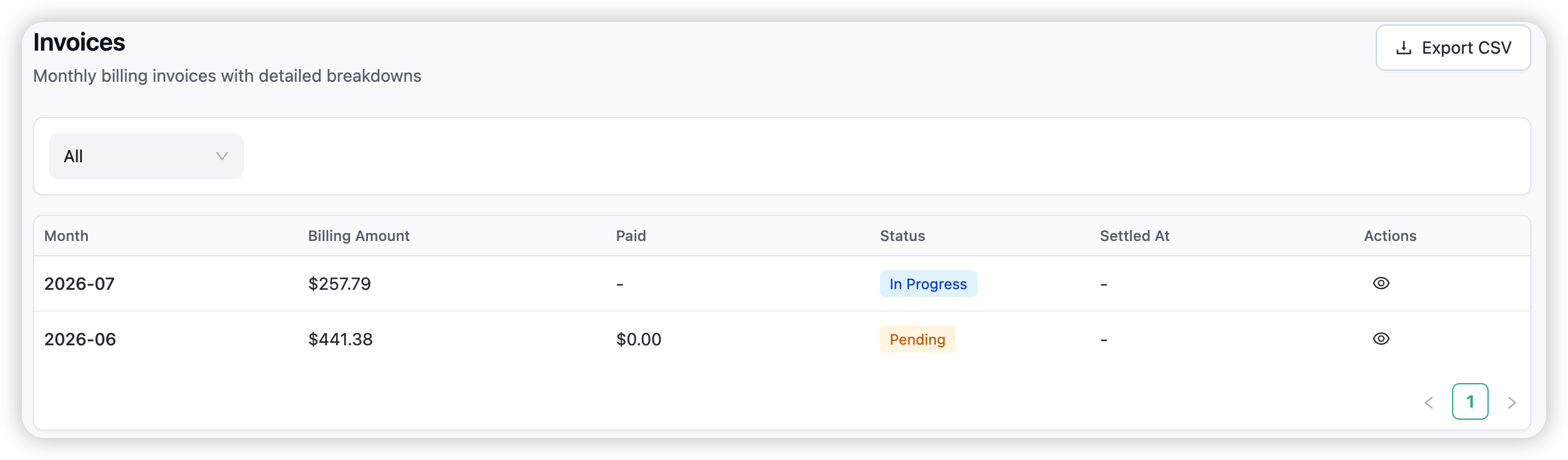
Invoices lists one monthly invoice per month with its amount, paid status, and settlement date. Open an invoice to break the month down by model, by team, by provider, or by day, and export it as CSV.
Transactions
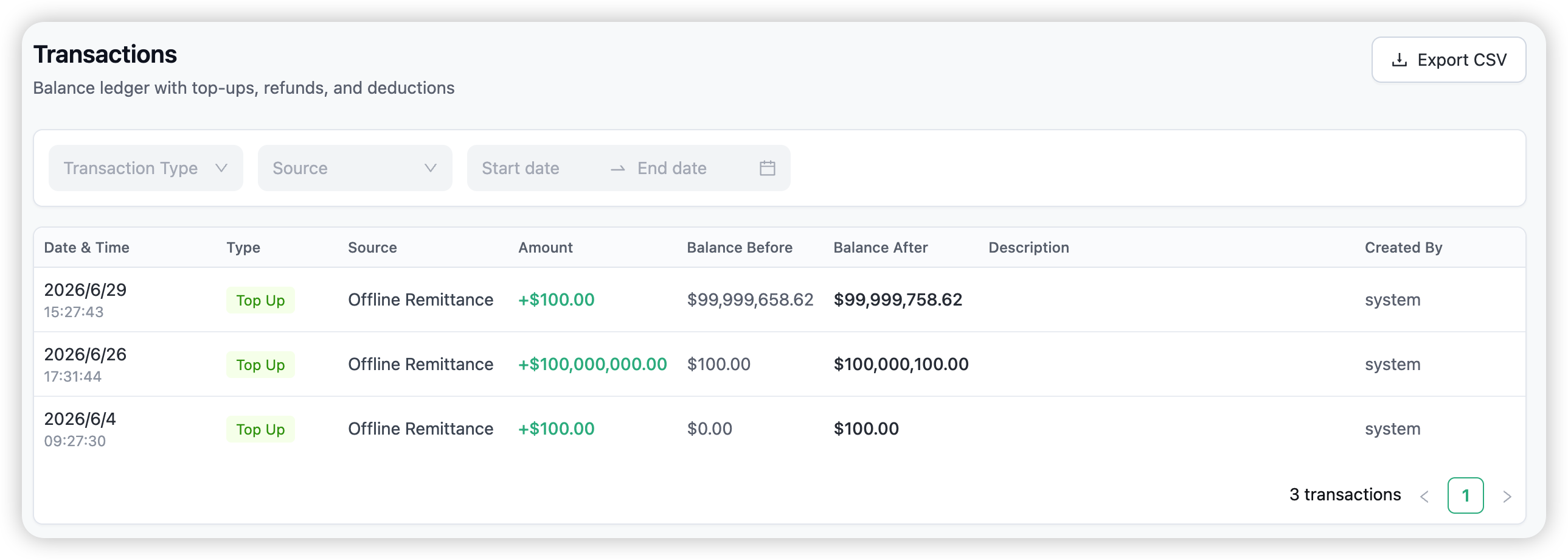
Transactions is the balance ledger: every top-up, refund, and deduction, with its source, amount, and the balance before and after. Filter by type, source, or date, and export as CSV.
Payment settings
Click the balance widget at the bottom of the sidebar to see your Payment Settings — your organisation, payment type, credit limit or balance, and a history of payment-type changes. (Changing these is a platform-admin action.)
BYOK and spend
Traffic on a provider you’ve switched to BYOK is billed markup-only — you pay the provider directly. That spend still counts in your totals and is flagged in Logs and Usage.
Related
→ Usage — spend analytics by model, team, and provider. → Budget Limits — cap spend on keys, teams, and organisations. → BYOK — bring your own provider key.