Auto Router
Auto Router is an intent-based model-selection layer. Instead of hard-coding a model in your application, you point requests at an Auto Router and it picks the best model group for each message based on what the user actually asked for — then the normal routing, load-balancing, and failover machinery takes over.
Auto Router is not a routing strategy. It runs before the strategy you configured in Routing & Load Balancing — it rewrites the requested model to the chosen group, and the Router then selects a healthy deployment for that group the usual way. The two are independent and compose cleanly.
How it works
Each Auto Router holds a set of routes. A route is a target model group plus a description of the kinds of requests it should serve, expressed as a handful of example phrases. On every request:
- Auto Router extracts the text from the request messages.
- It matches the text against the routes and selects the best fit.
- The selected route’s model group replaces the requested model.
- The Router proceeds with its normal strategy (least-busy, lowest-cost, …) and failover behaviour.
- If no route matches — or anything goes wrong — the request falls back to the router’s configured default model. Auto Router never blocks a request.
Two matching modes are available, chosen per router in the dashboard:
| Mode | How it matches | Best for |
|---|---|---|
| Performance (default) | Compares the message against each route’s phrases semantically and picks the best fit above its threshold. Adds roughly 10 ms per request. | High volume, low overhead, deterministic |
| Advanced | Asks a small LLM to classify the message into one of the routes. Handles subtler intent, at the cost of ~200–500 ms per request. | Keyword or similarity matching is ambiguous |
Both modes run entirely inside your Routero deployment on an internal service account — the matching calls loop back through the gateway itself. They do not consume your virtual-key budget and do not call external providers at your expense.
Auto Router is static and configuration-driven — it does not learn or adapt over time. The routing decision is fully determined by your route definitions, the message, and the matching mode. To change behaviour, edit the routes.
Defining routes
The route builder asks for four things per route:
| Field | Description |
|---|---|
| Model | The target model group the route hands off to, picked from your configured groups. Each group can be the target of one route per router. |
| Description | A short human-readable summary of what the route handles. Used by the Advanced mode. |
| Topics & examples | Phrases that characterise the route — type one and press Enter to add it. The Performance mode compares the incoming message against these. Short descriptive phrases (“physics questions”, “code analysis”) often work better than full example prompts. Up to 50 per route, 500 per router. |
| Score threshold | Optional (0–1). How similar the message must be for the route to win in Performance mode. Default 0.2. |
Example route table for a triage router:
| Route (model group) | Description | Example phrases |
|---|---|---|
reasoning |
Complex reasoning, maths, analysis | “prove this theorem”, “debug this algorithm”, “analyse the trade-offs” |
coding |
Code generation and explanation | “write a python function”, “refactor this class”, “explain this stack trace” |
general (default) |
Everyday questions and chat | everything else |
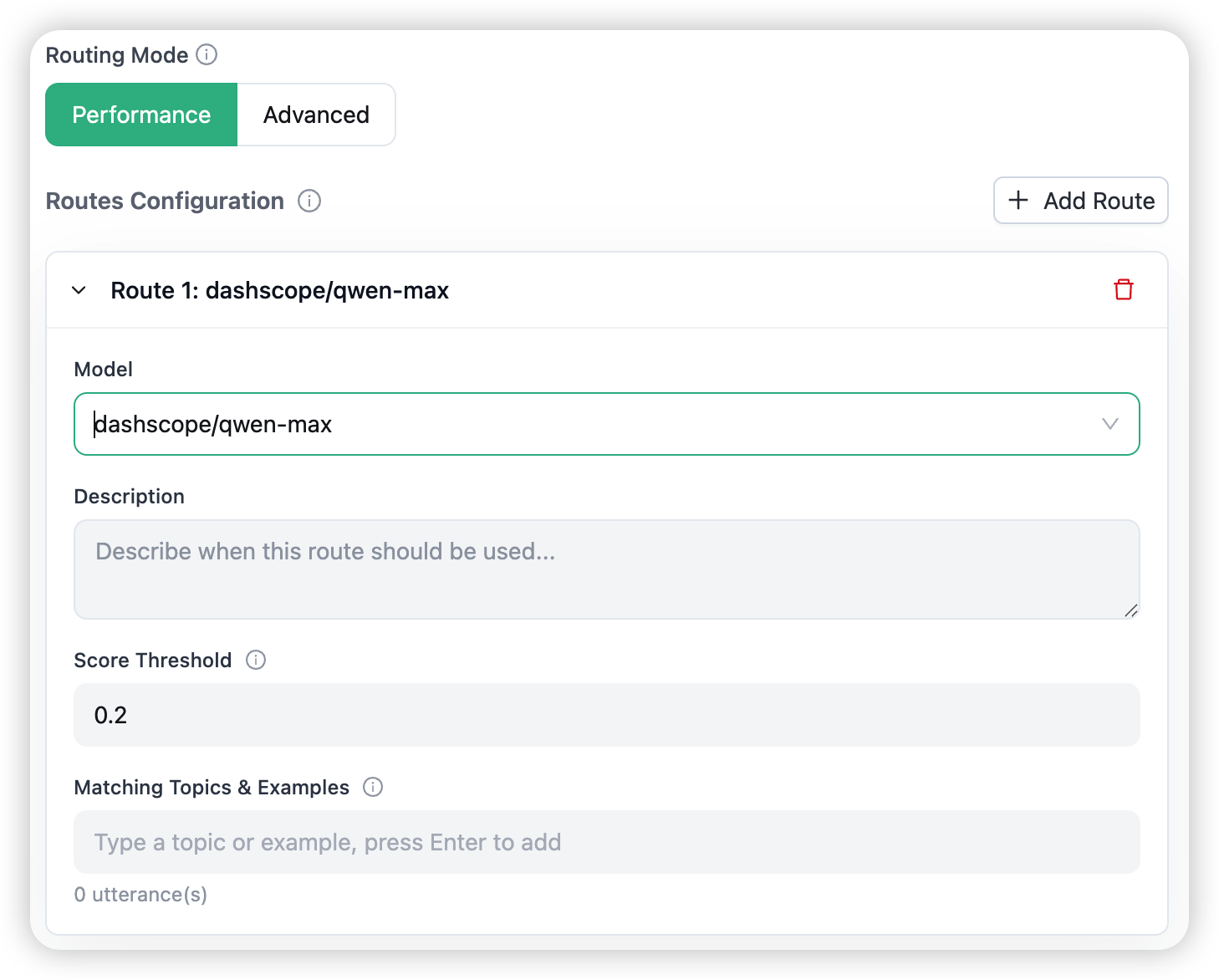
The form validates as you go — duplicate targets, out-of-range thresholds, and phrase-count limits are flagged before you can save — and an optional JSON preview shows exactly what will be stored.
Creating an Auto Router
Open Models & Endpoints → Add → Auto Router. The drawer takes:
- Organization — the organisation the router belongs to.
- Auto Router Name — the name callers will use in their requests (see below).
- Default Model — the model group used when no route matches.
- Routing Mode — Performance or Advanced.
- Routes — built with the route builder above; at least one, each with a target model, a description, and at least one example phrase.

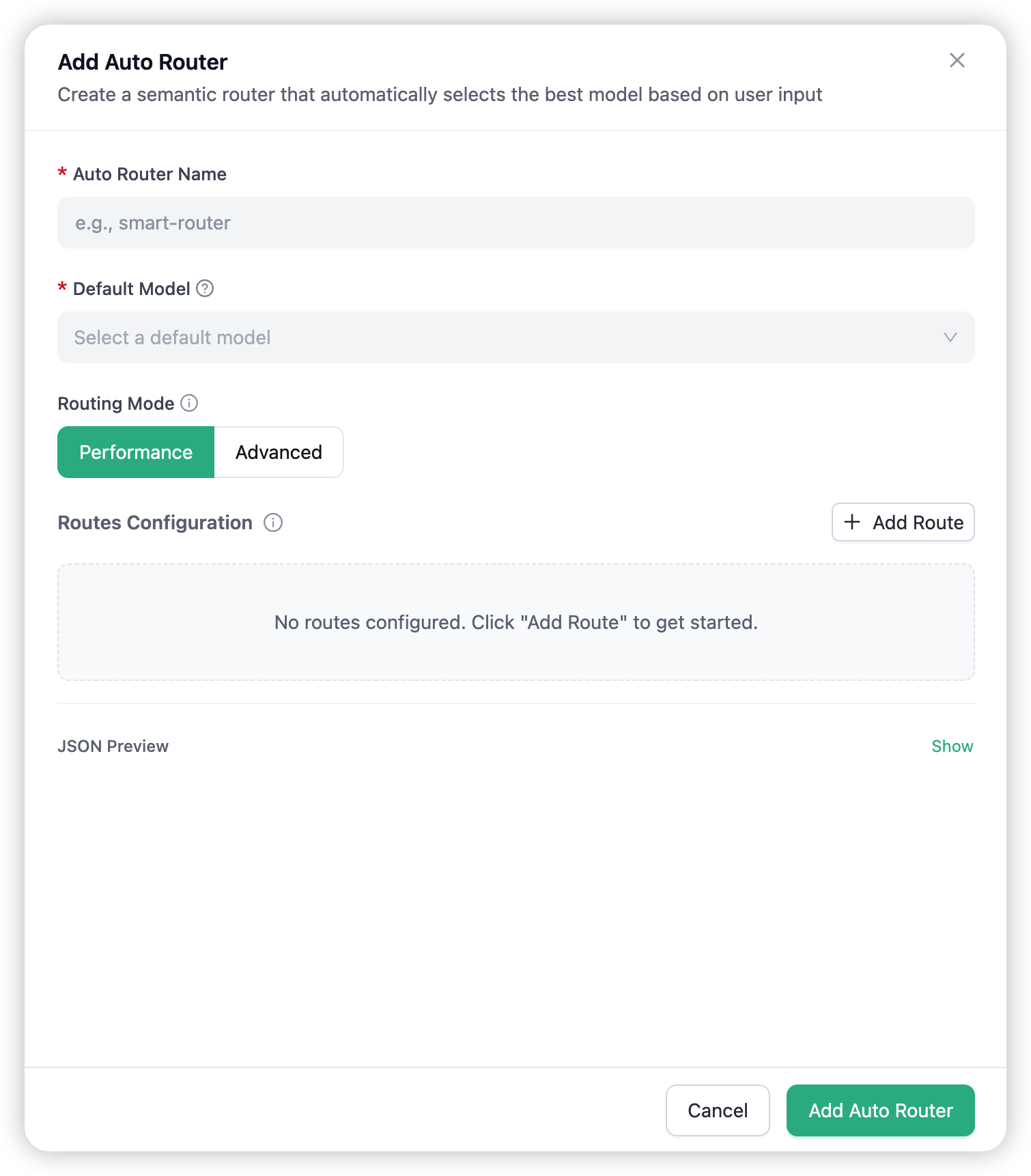
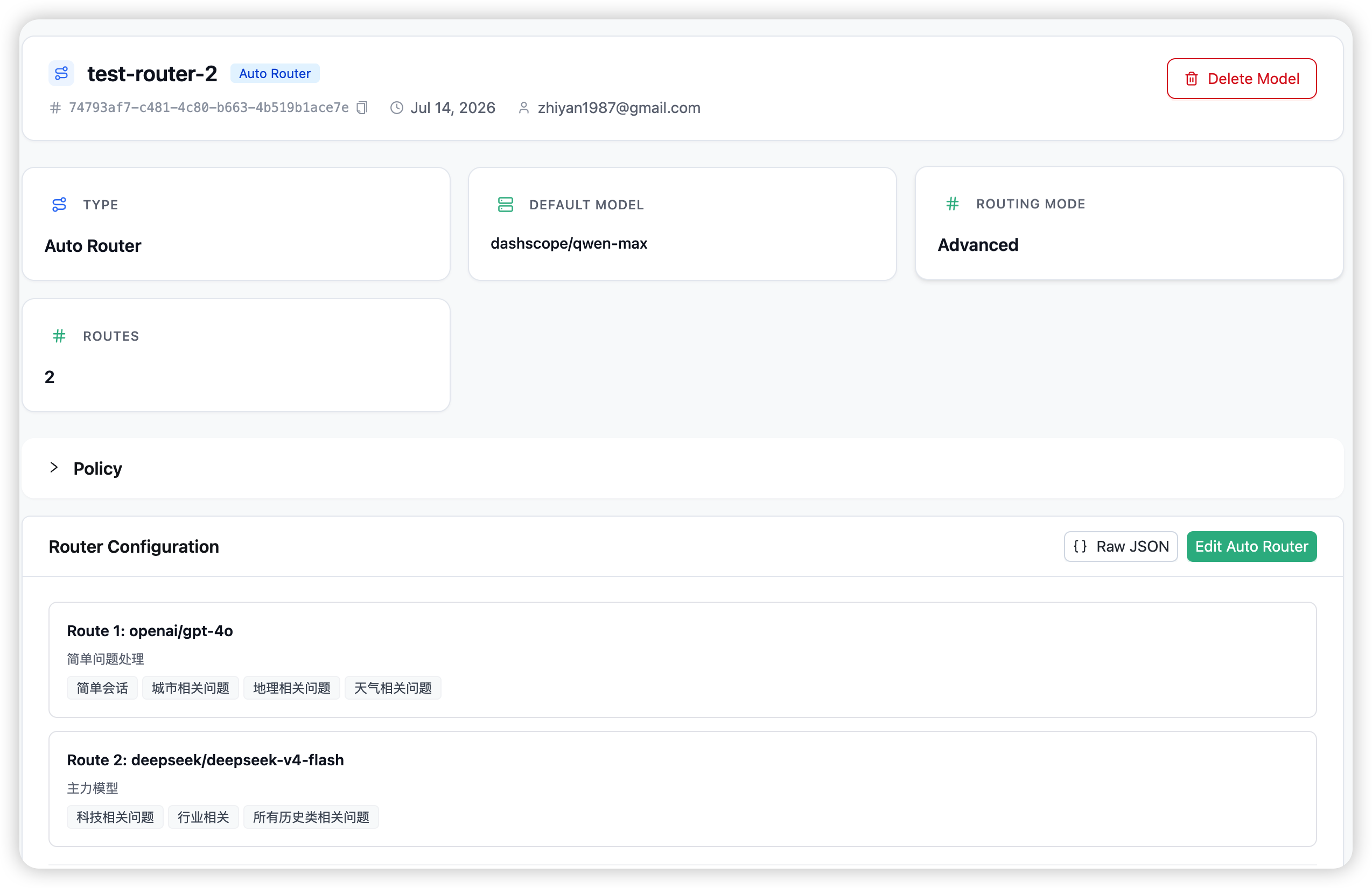
The router then appears on the Models & Endpoints page tagged Auto Router, and the same fields are editable later from its detail view.
Calling an Auto Router
From the caller’s perspective, an Auto Router is just another model name: the name you gave it when creating it, exactly as it appears in the dashboard’s model list. Point your existing request at it:
response = client.chat.completions.create(
    model="triage",                      # the router's own name — it picks the real model group
    messages=[{"role": "user", "content": "Prove that the sum of two evens is even."}],
)
Call the router by its plain name (triage), never with the auto_router/ prefix. The prefix is an internal identifier the gateway stores behind the name for its own bookkeeping — it is not a callable model. A request for auto_router/triage matches no model, and the gateway then reads auto_router as an unknown provider and rejects the call with an Unmapped LLM provider error.
The gateway selects reasoning for that message, hands off to the Router for deployment selection, and returns the response. The response carries headers showing which deployment ultimately served the call:
x-routero-model-id— the chosen deployment’s model idx-routero-model-api-base— the chosen deployment’s API base
Auto Router inspects message content, so it is skipped for requests without messages (for example pass-through and non-chat endpoints) — those go straight to the requested model.
Multi-tenancy and regions
Each Auto Router is org-scoped: a router belongs to one organisation, and its routes are resolved only for keys in that organisation. When you have per-organisation model groups, give each org its own Auto Router referencing its own groups.
The internal models that power matching are region-appropriate, so a China-region workspace uses domestic models out of the box:
| Region | Performance-mode model | Advanced-mode model |
|---|---|---|
China (cn-north-1) |
internal-text-embedding-v4 |
internal-qwen-plus |
| All other regions | internal-text-embedding-3-small |
internal-gpt-4o-mini |
These run on the internal service account — they are not part of your model list and never bill your keys.
Availability
Everything Auto Router needs is part of a standard Routero deployment. Both matching modes and their internal models are included and run on the platform — there is nothing to install or provision on your side, and no Redis, vector database, or GPU is required.
Combining with the rest of the gateway
Auto Router composes with every other gateway capability:
- Routing & failover — the chosen model group is load-balanced and failed over exactly like any directly-requested model.
- Policies — a model group that an Auto Router routes to can itself carry a capability policy (guardrails, prompts, memory, token saving).
- Guardrails / prompts / memory / token saving — apply to the resolved request as usual. See AI Capabilities.
→ Routing & Load Balancing for the deployment-selection strategies Auto Router hands off to. → Failover & Fallbacks for retry behaviour on the selected group.