API Keys
A virtual key is the credential your application uses to call Routero. Create one per application or environment, scope it to specific models, attach a budget, and revoke it any time. A key never exposes the underlying provider key.
Open API Keys in the sidebar.
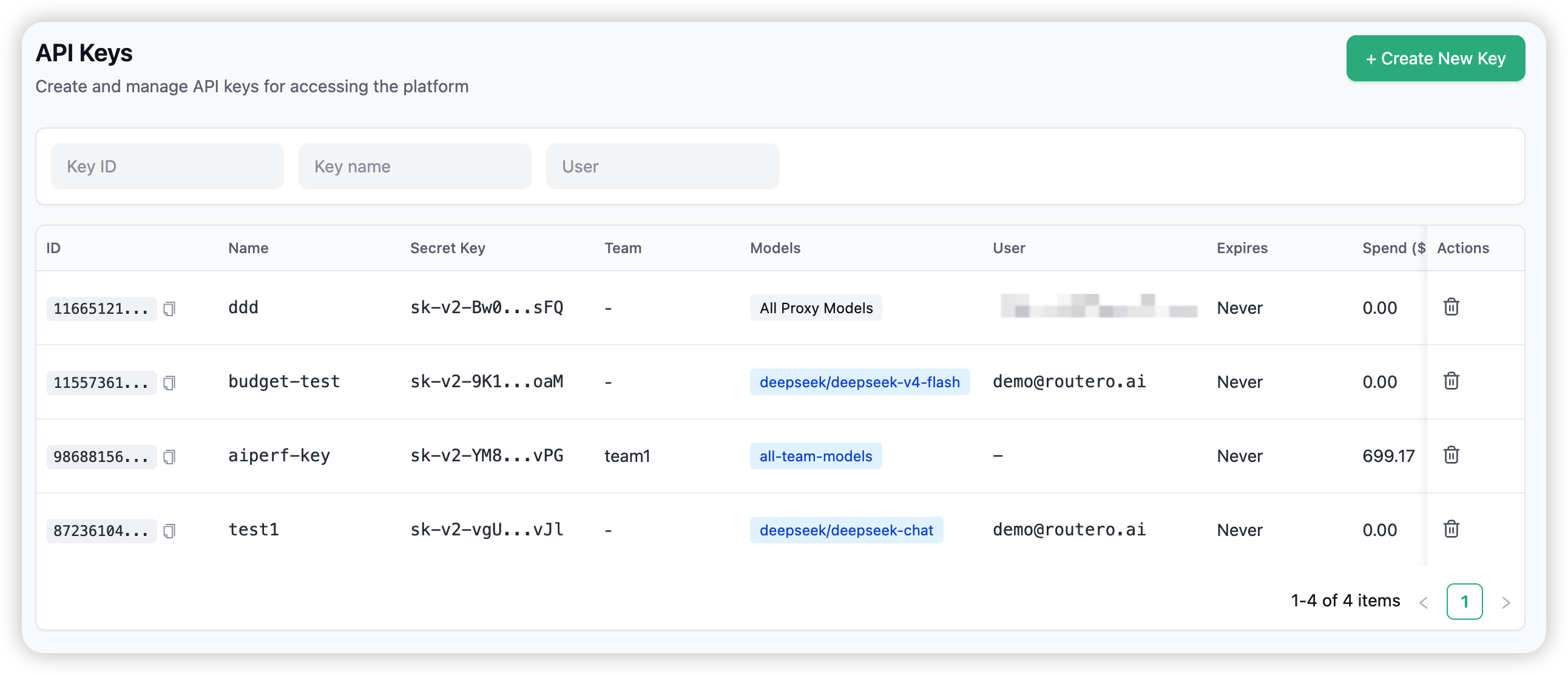
The API Keys page
The list shows each key’s name, the models it can call, its team and owner, spend against budget, rate limits, and when it was created. Click a key to open its detail.
Create a key
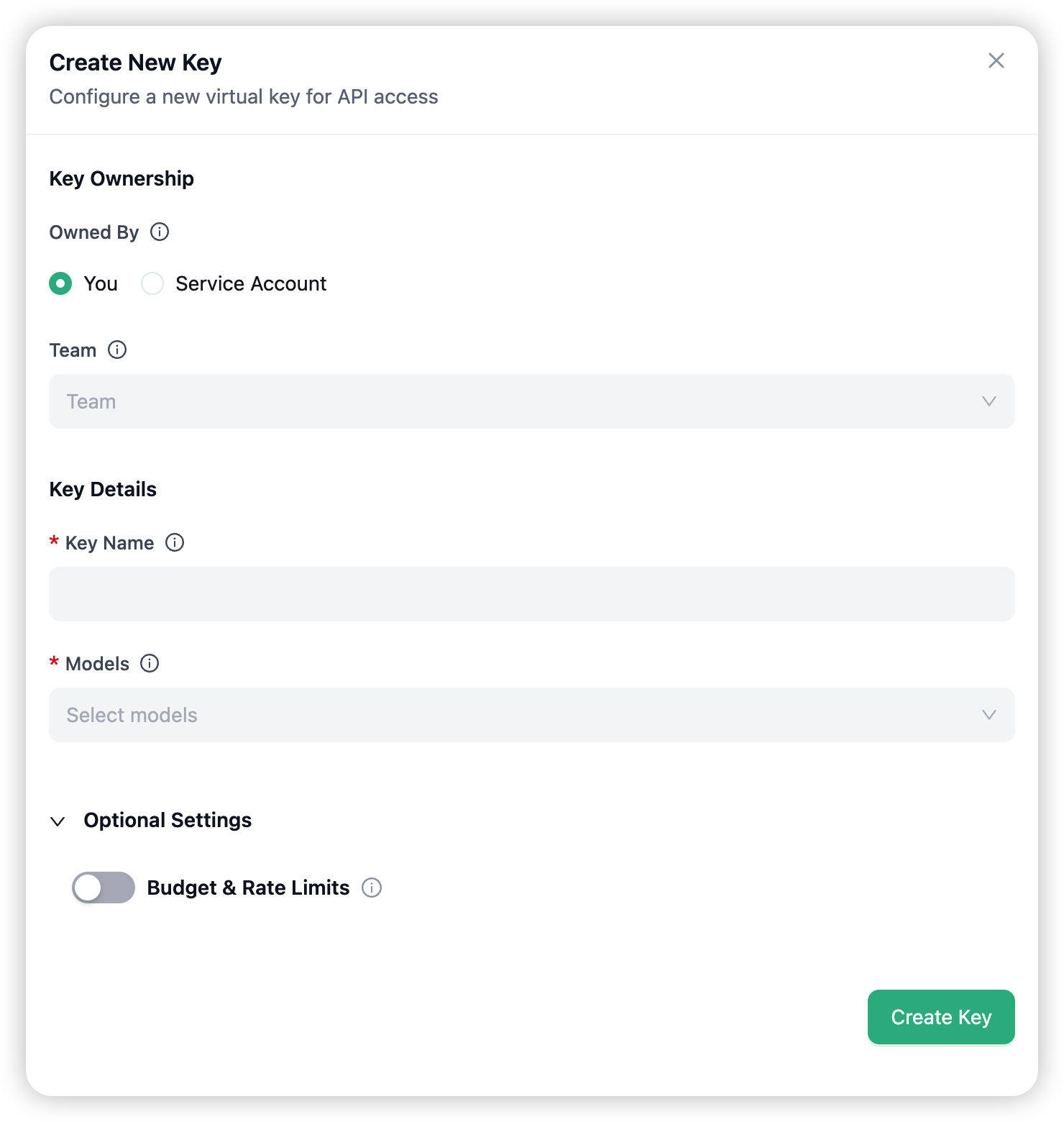
Choose + Create New Key:
- Owned By — yourself, or a service account.
- Key Name — a label for the key.
- Models — which models the key can call (“All Proxy Models” by default, or pick specific ones).
- (Optional) Budget & Rate Limits — a max budget, soft alert, reset period, and TPM/RPM limits.
Click Create Key and copy the secret (sk-…) from the dialog — it is shown only once.
For the step-by-step walkthrough, see the Quickstart.
Key detail
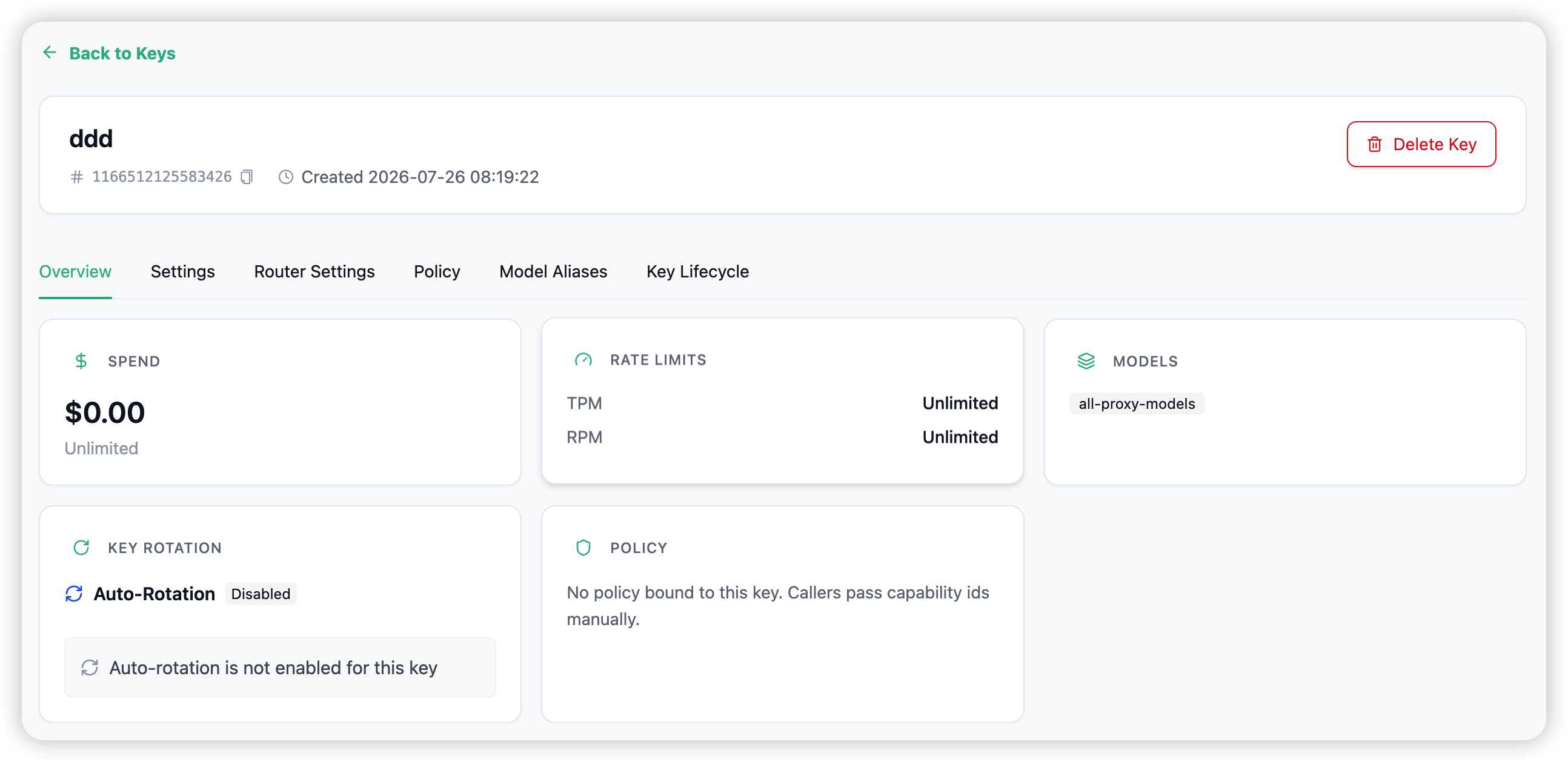
A key’s detail page has six tabs:
- Overview — spend against budget, rate limits, usage.
- Settings — edit the key’s name, models, budget, and rate limits.
- Router Settings — the load-balancing strategy and fallback chain for this key. → Routing · Failover
- Policy — bind a policy so capabilities activate automatically on every request made with this key.
- Model Aliases — remap model names for this key.
- Key Lifecycle — rotation and expiry.
Keys do not expire by default (the “Expires” column shows “Never”). Delete a key to revoke it immediately.
Related
→ Policies — bind capabilities to a key. → Budget Limits — how the key’s budget is enforced. → Quickstart — create your first key.