Bring Your Own Key (BYOK)
By default, Routero holds the provider keys and bills you for the full cost of each request. With BYOK, you add your own provider API key for your organisation — you pay the provider directly, and Routero charges only its markup on top.
BYOK is set per provider: add your OpenAI key and every OpenAI request your organisation makes is billed markup-only. Other providers keep using Routero’s key until you add yours for them.
BYOK is available to organisation admins. Team admins and members don’t see it.
Add your key
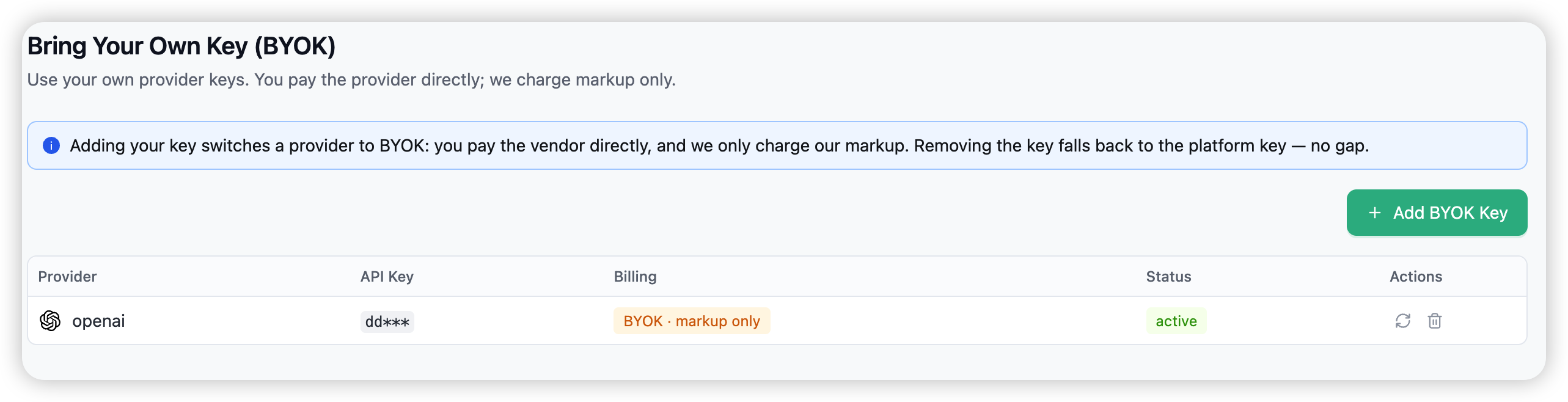
Open BYOK in the sidebar and choose Add BYOK Key.
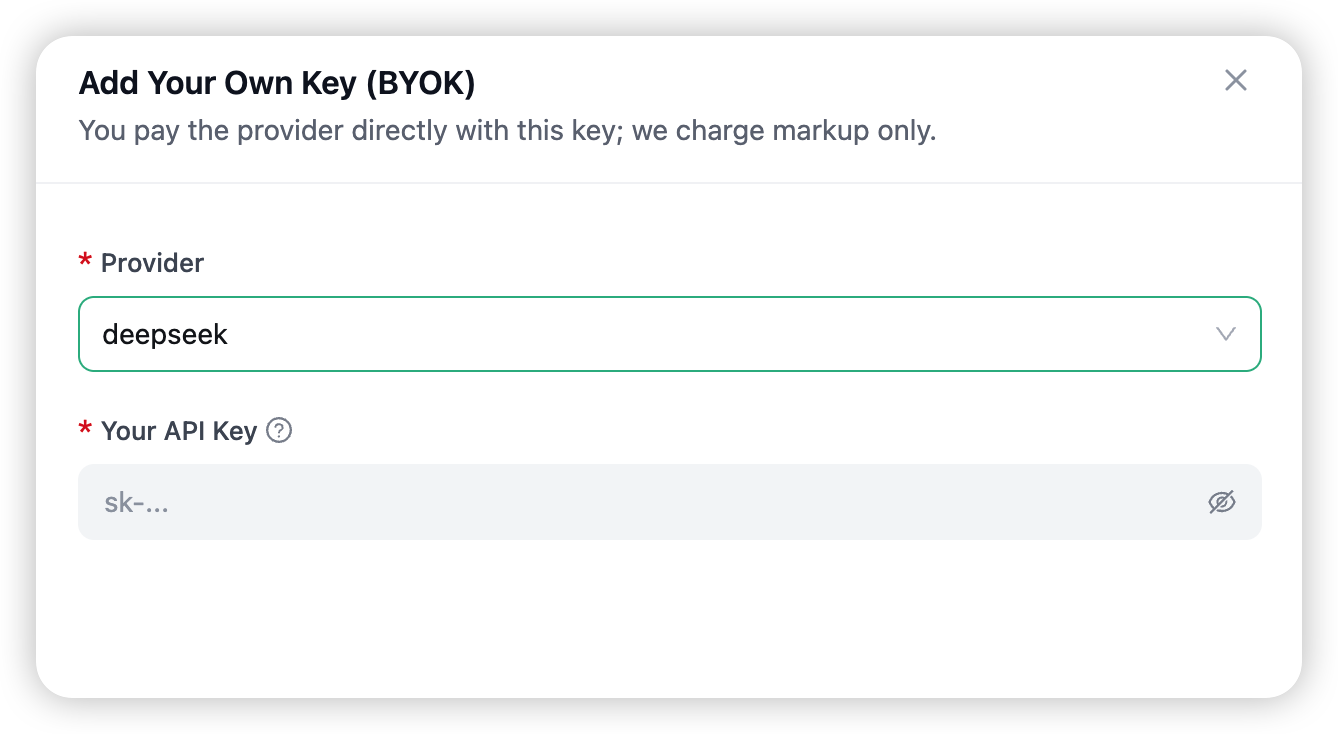
In the drawer, pick a Provider and paste Your API Key. The key is stored encrypted and assigned to your organisation — only the provider and the key are required.
The provider now appears in the list tagged BYOK · markup only. You can add one key per provider; to change it later, rotate it.
Rotate or remove
- Rotate — replace the secret with a new one. The provider stays on BYOK.
- Remove — drops your key. That provider immediately falls back to Routero’s platform key (with no gap), and requests are billed normally again.
How BYOK billing works
When a request uses a provider you’ve switched to BYOK:
- You pay the provider directly with your own key — Routero doesn’t pay them.
- Routero charges only its markup (per-organisation discounts don’t apply to BYOK traffic).
- Your budget and spend still reflect the full amount — what you pay the provider plus the markup — so spend tracking stays accurate.
BYOK requests still appear in Logs and Usage, flagged with a BYOK tag. In a log row, the cost splits into Billed to us (markup) and Paid to vendor directly.
What BYOK is not
- It’s per organisation, per provider — not per team or per model.
- It doesn’t let you set a custom endpoint (for example a self-hosted gateway or an Azure resource). If you need that, contact your platform admin.
- Adding models, or the “Re-use Credentials” action on a model, is unrelated to BYOK billing.
Related
→ Routing & Load Balancing and Failover & Fallbacks — your BYOK keys work with routing and failover like any other key. → Usage to see BYOK spend.