Token Saving
A token-saving plan is a named configuration that bundles two independent optimizations: prompt compression (shrink the input before the model call) and response caching (skip the model call entirely on repeated or near-duplicate prompts).
Both are managed centrally by admins and activated per-request by a single ID. No application logic changes.
Token Saving reduces compute — it does not buy cheaper tokens. The goal is to eliminate redundant model calls and shorten prompts, with the savings showing up as a platform-cost reduction in your spend reports.
How it works
When a request carries a token_saving_plan_id, the gateway resolves the plan and runs it as a pre-call hook, after prompt injection and before the model is called:
GuardrailHook → PromptHook → TokenSavingPlanHook → MemoryHook → KnowledgeHook → WebSearchHook
Within the hook, the two optimizations run in a fixed order:
- Compression — the message list is compressed first (so the cache key is computed over the smaller, compressed input).
- Caching — the gateway checks the exact cache, then the semantic cache. On a hit, the stored response is returned and the model is never called.
The plan ID is stripped before the request reaches the upstream provider.
Activation
response = client.chat.completions.create(
    model="openai/gpt-5.5",
    messages=[...],
    extra_body={"token_saving_plan_id": "my-plan"},
)
Pass the ID top-level or inside metadata. To opt out on a single request, pass cache: {"no-store": true}. A plan can also be bound through a policy so it activates automatically.
Prompt compression
| Engine | Method | Use when |
|---|---|---|
trim |
Middle-truncation via litellm.utils.trim_messages — keeps system and tool messages, trims from the middle to fit max_input_tokens |
Fast, zero dependencies, predictable |
text_rank |
TextRank extractive summarisation (sumy) | Medium context, semantic fidelity matters |
lex_rank |
LexRank extractive summarisation (sumy) | Similar to TextRank, often better on structured text |
lsa |
LSA (Latent Semantic Analysis) summarisation (sumy) | Longer documents, topic-based extraction |
The three summarisation engines keep the final user message intact and extractively summarise the earlier history. Their optional config keys are language (default english) and min_sentences (default 1). Set max_input_tokens to cap the compressed size.
Dependencies: trim needs nothing; the summarisation engines require sumy, nltk, and tiktoken.
Response caching
A two-tier waterfall. A cache sub-plan is created only if you enable it; you can use compression alone, caching alone, or both.
Tier 1 — Exact cache
The gateway checks the global cache (Redis in normal deployments) for an identical key — model, messages, and parameters. The cache namespace is always the plan ID, so each plan’s cache is private. Controlled by the Exact Cache switch; default TTL 3600 seconds when the TTL is unset.
Tier 2 — Semantic cache (on an exact-cache miss)
The gateway embeds the query and runs a vector-similarity search (default threshold 0.85) against previously cached queries. If a semantically equivalent prior response is found, it is returned without calling the model.
Semantic backends:
| Backend | Description |
|---|---|
redis_semantic |
Redis-Stack with the RediSearch vector module |
qdrant_semantic |
A Qdrant instance |
Embeddings for the semantic cache are generated through the gateway’s own /embeddings endpoint under an internal service-account key (model internal-text-embedding-3-small, 1536 dimensions). Their cost is tracked as platform spend, never charged to the calling key.
Creating a plan
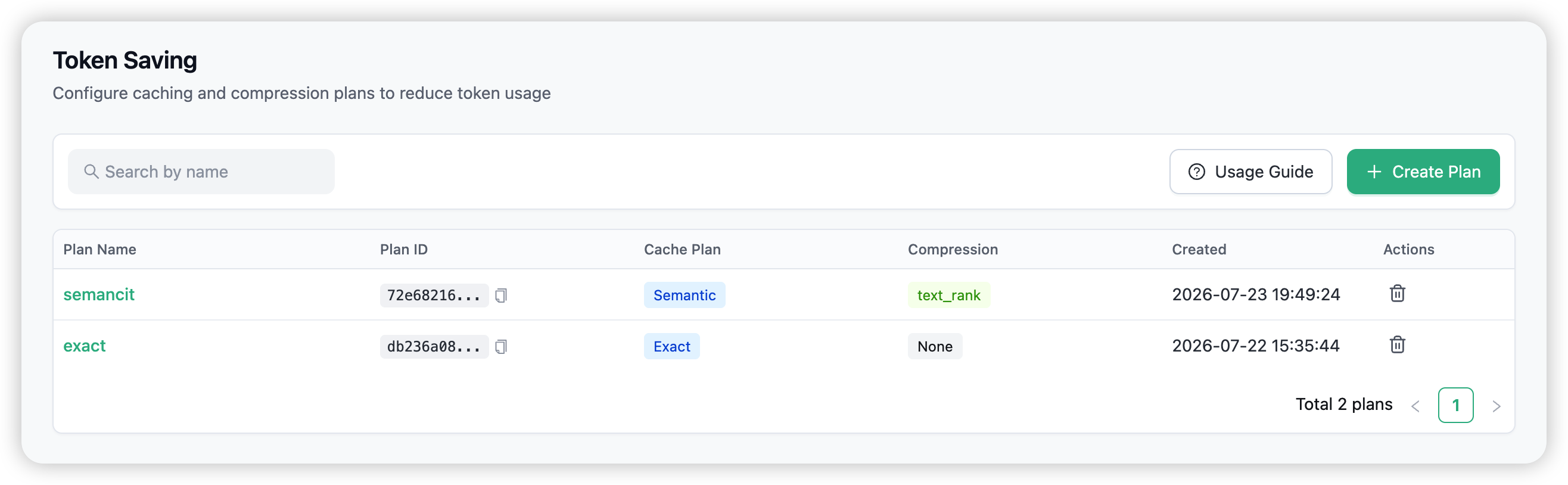
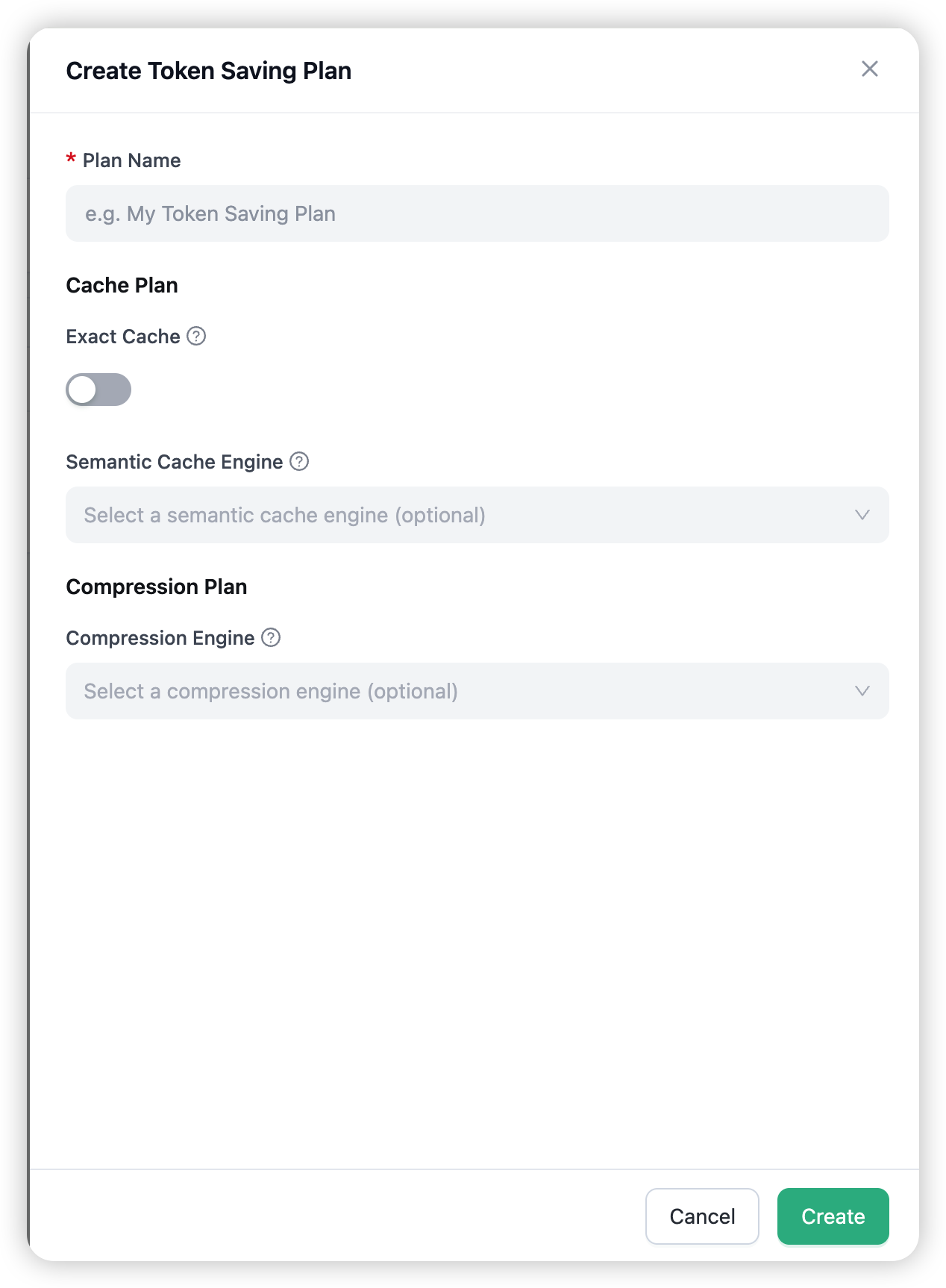
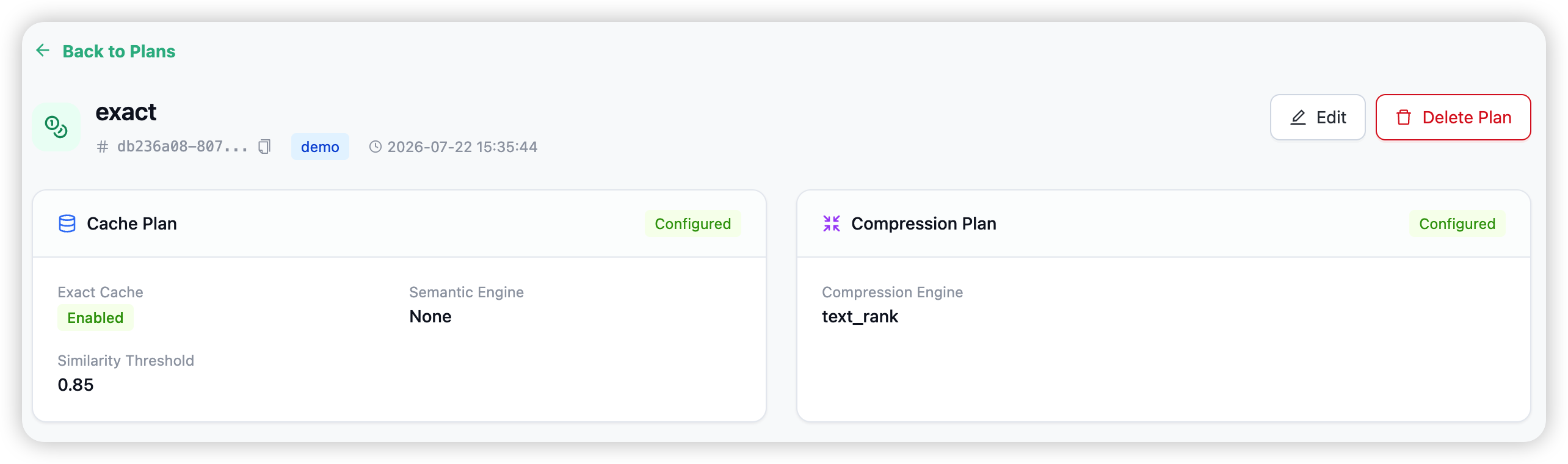
Open Token Saving in the admin navigation and choose Create Plan. The form has two sections — a Cache Plan and a Compression Plan — and you can fill in either, both, or (for a no-op plan) neither.
Cache Plan options
| Option | Description |
|---|---|
| Exact Cache | Switch exact caching on or off. When on, identical requests are served from the global cache. |
| Exact TTL | How long an exact-cache entry lives, in seconds (default 3600). |
| Semantic Cache Engine | The vector backend to use for near-duplicate matching — a redis_semantic or qdrant_semantic engine. Leave unset to disable semantic caching. |
| Similarity Threshold | Match cutoff, 0–1 (default 0.85). Higher is stricter. |
| Semantic TTL | How long a semantic-cache entry lives, in seconds. |
Compression Plan options
| Option | Description |
|---|---|
| Compression Engine | One of trim, text_rank, lex_rank, lsa. Leave unset to disable compression. |
| Max Input Tokens | Cap the compressed message list size. |
Organisation isolation and permissions
- Org-scoped. Plans belong to one organisation (
LiteLLM_TokenSavingPlancarries theorganization_id; its cache and compression sub-plans are reached through foreign keys). - IDOR-protected. Operations are authorised per-org via Cerbos (
org:token_saving:common); the gateway checks the plan’s org at resolve time and rejects mismatches. - Who can manage. Proxy admins and organisation admins can create, edit, and delete plans.
Dependencies
| Capability | Required packages | Required infrastructure |
|---|---|---|
| Exact cache | — | Redis (the global gateway cache) |
| Semantic cache (Redis-Stack) | redis-stack |
Redis-Stack (RediSearch + vector module) |
| Semantic cache (Qdrant) | qdrant-client |
Qdrant instance |
| Summarisation compression | sumy, nltk, tiktoken |
— |
trim compression |
— | — |
Combining with the rest of the gateway
- Policies — bind a plan into a policy to activate it automatically on a key or model.
- Prompts / guardrails / memory — the other AI Capabilities apply to the same request in their normal order.
- Playground — pick a plan under Advanced Settings to see caching and compression in action.
→ Policies for binding plans to keys and models.