Policies
A policy is a named, org-scoped bundle of AI capabilities. Instead of passing guardrail_id, prompt_id, memory_id, knowledge_base_id, token_saving_plan_id, and web_search_id on every request, you group them into a policy once and bind that policy to a key or a model. The gateway then activates the capabilities automatically on every matching request.
A policy is a governance primitive, not a routing rule. It does not choose which model serves a request — that is routing and Auto Router. A policy bundles the capabilities that get applied to a request once the model is chosen.
The six capability types
A policy binds one resource of each type. Each type maps to a request field that the AI Capabilities hooks already understand:
| Capability type | Request field | What it activates |
|---|---|---|
prompt |
prompt_id |
A versioned prompt template (Prompt Management) |
memory |
memory_id |
A long-term memory session (Memory-as-a-Service) |
knowledge |
knowledge_base_id |
An indexed document collection for retrieval (Knowledge Base) |
token_saving |
token_saving_plan_id |
A compression + caching plan (Token Saving) |
guardrail |
guardrail_id |
A content-safety configuration (Guardrails) |
web_search |
web_search_id |
A web search tool (Web Search) |
A policy can bind at most one resource per type (so up to six bindings total), and must bind at least one. Most policies bundle several — for example a customer-facing agent policy might combine a system prompt, a PII guardrail, a memory session, and a token-saving plan.
How policies attach
A policy is bound by a single policy_id reference in exactly two places:
- On a virtual key — every request that authenticates with that key picks up the policy.
- On a model — every request to that model group picks up the policy.
There is no team-level or org-level binding, and a key or model carries at most one policy each. A single request can therefore see two policies at once — one from its key, one from its model — which the gateway merges (see below).
Creating a policy
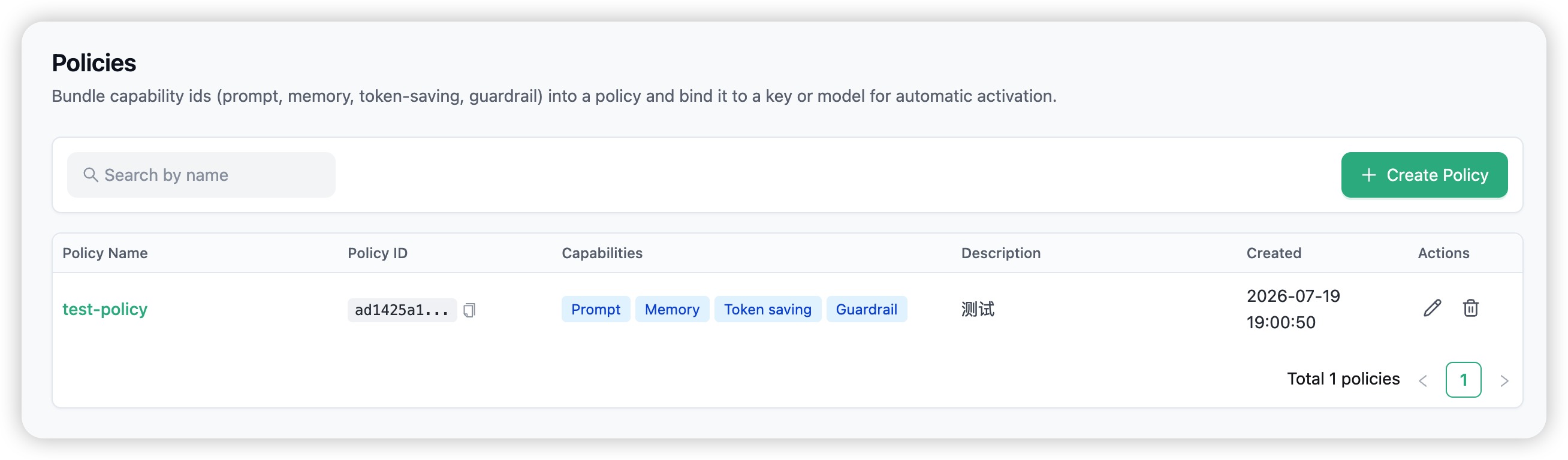
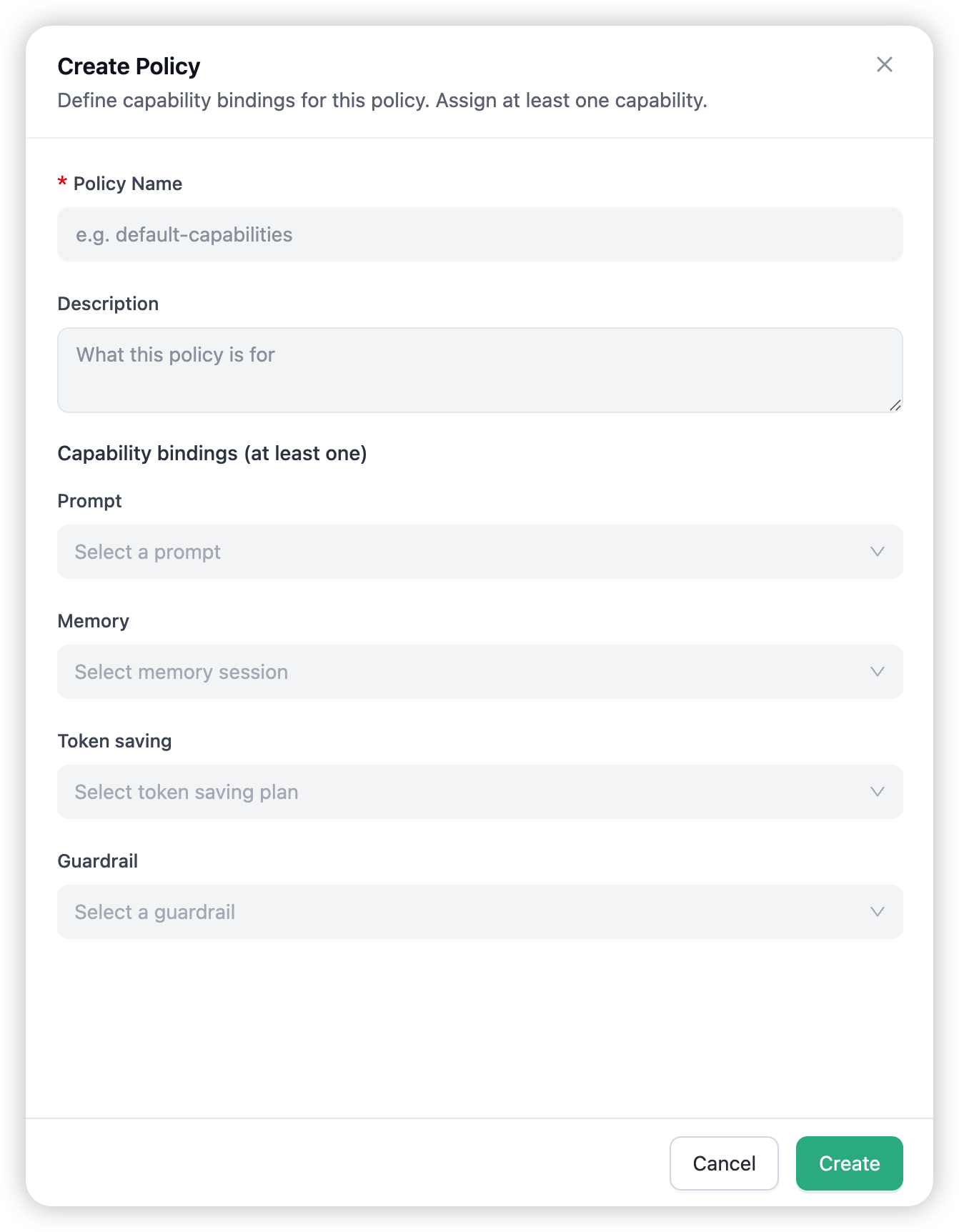
Open Policies in the admin navigation and choose Create Policy. The form asks for a name, an optional description, and one capability selector per type (each filtered to your organisation’s existing prompts, memory sessions, knowledge bases, token-saving plans, guardrails, and web search tools). Pick at least one capability and save. Policy names are unique within an organisation.
Binding a policy
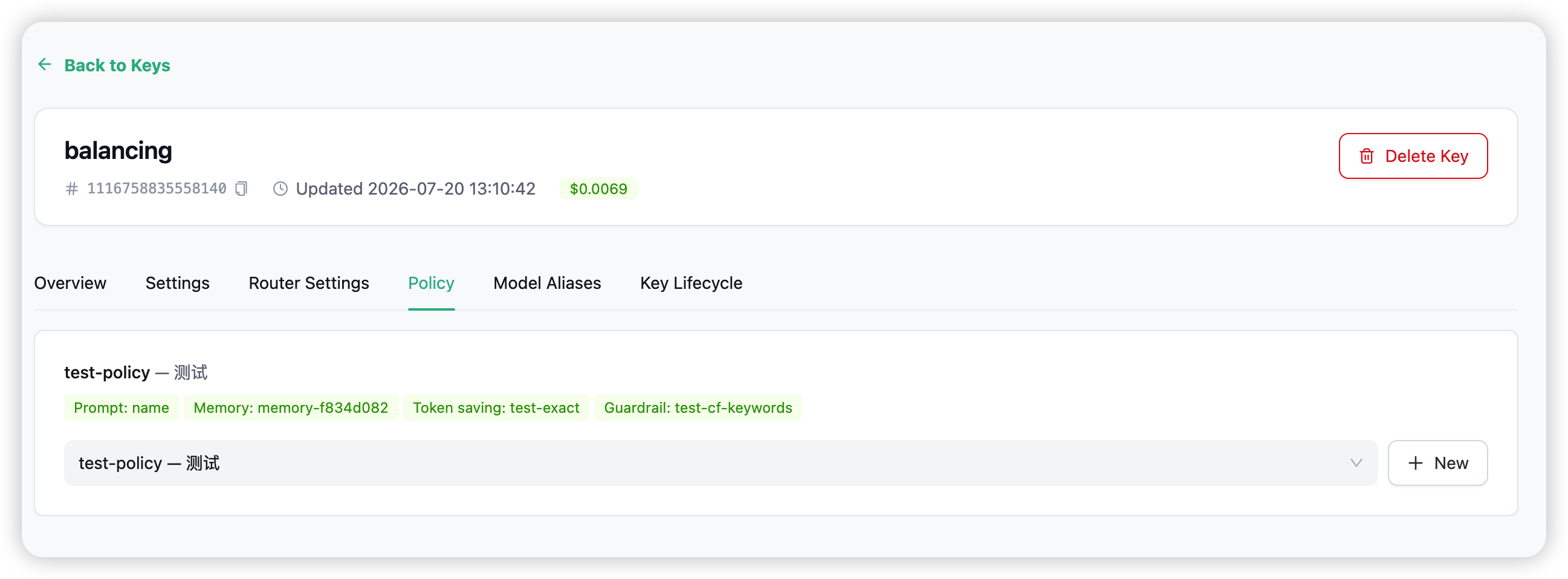
To a key
On the key’s detail page, open the Policy tab and pick a policy:
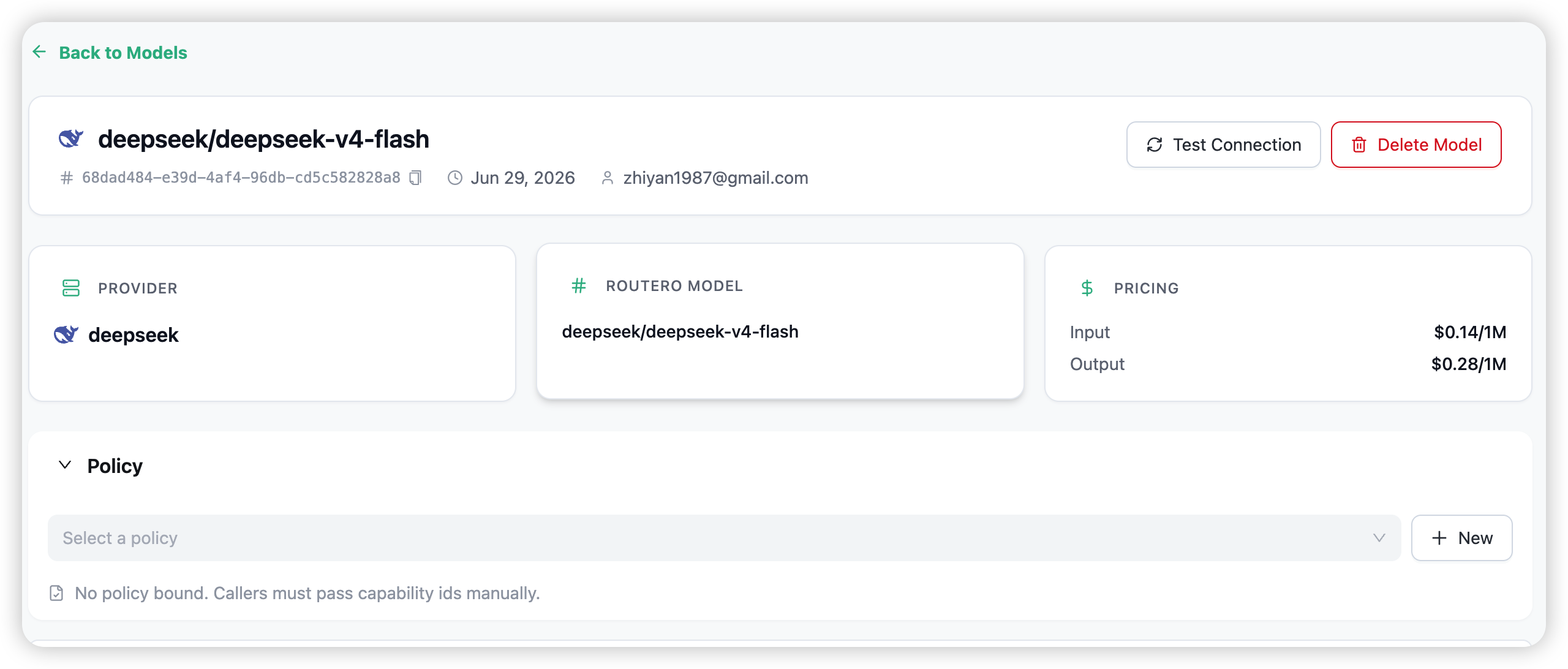
To a model
On the model’s detail page, expand the Policy section and pick a policy:
A policy can only be bound within its own organisation — the gateway rejects cross-org bindings.
What happens at request time
When a request arrives, the gateway resolves any key policy and model policy, merges them, and injects the capability IDs exactly as if the caller had passed them by hand. The existing per-capability hooks then run in their normal order:
GuardrailHook → PromptHook → TokenSavingPlanHook → MemoryHook → KnowledgeHook → WebSearchHook
Precedence (per capability type)
explicit caller field > key policy > model policy
- If the caller already set
prompt_id(or any other capability field) on the request, that value wins and the policy is ignored for that type. - Otherwise the key policy’s binding for that type wins.
- Otherwise the model policy’s binding for that type applies.
So a model can provide sensible defaults (a prompt, a guardrail) while an individual key overrides just the parts it cares about — and a developer can always override everything per-request.
Policies fail open. If the resolver hits an error, the request still proceeds without the policy’s capabilities rather than being blocked.
Dangling references and cleanup
If a capability a policy points to is later deleted (or moves to another organisation), that binding becomes dangling:
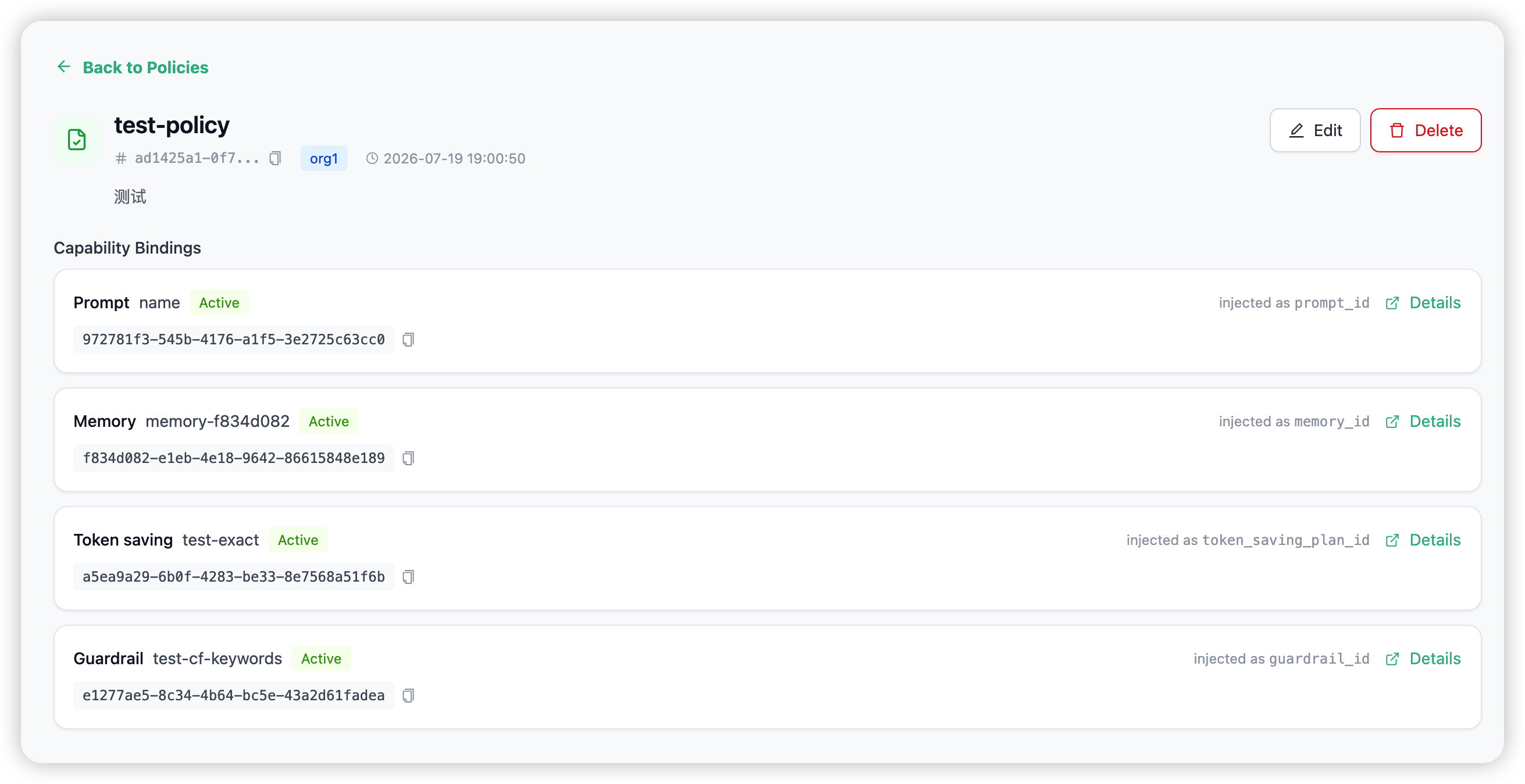
- The policy detail page lists it under
dangling, flagged with a warning. - At request time, a dangling binding is silently skipped — the other bindings in the policy still apply.
Deleting a policy itself is safe: the gateway automatically clears the policy_id from every key and model that referenced it, so no stale binding can survive.
Organisation isolation and permissions
- Org-scoped. Policies belong to one organisation. List, read, create, edit, and delete are authorised per org via Cerbos (
org:policy:common); a user only ever sees their own organisation’s policies. - Capability references stay in-org. A policy may only reference capabilities owned by the same organisation.
- Who can manage. Proxy admins and organisation admins can create, edit, and delete policies. The organisation selector on the Policies page is available to proxy admins.
What policies are not
To set expectations clearly:
- Not routing rules. A policy does not select models based on content, region, budget, or schedule. Use Routing & Load Balancing or Auto Router for that.
- Not a substitute for budgets or access control. Spend caps live in Budget Limits.
- No inheritance or wildcards. A policy is a flat list of up to six capability bindings — there are no base policies, no scoping patterns, no add/remove lists.
- No YAML config file. Policies are managed through the dashboard and stored in the database; changes propagate to all proxy instances in real time.
→ AI Capabilities for the six resources a policy can bind.